QR Code Reward Scam: The “Scan to Win” Trap Hiding in Plain Sight
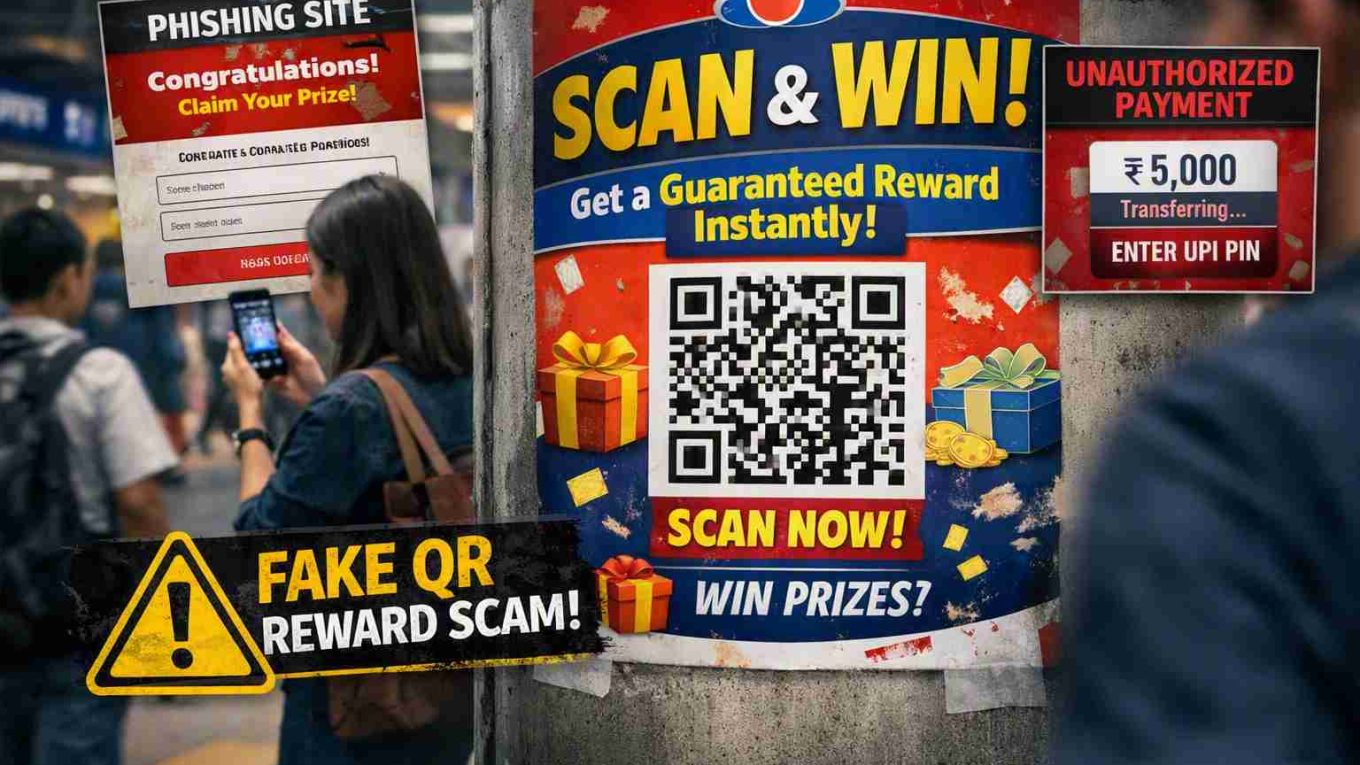
A poster is taped to a pillar outside a busy metro station. Bright colors, a familiar-looking brand logo, bold text: “SCAN & WIN — Get a Guaranteed Reward Instantly!” A small QR code sits at the center. Dozens of people walk past it every hour. A few pull out their phones and scan.
This spoke of our fake reward scams guide takes a slightly different shape from the rest of the series — because this scam doesn’t live in your inbox or your WhatsApp. It lives in the physical world, on posters, stickers, table tents, and flyers, which changes both how it spreads and how you need to defend against it.
A Scene, Not Just a Script
Most fake reward scams arrive as a message you can screenshot and scrutinize. The QR code scam arrives as an object in physical space — a sticker on a fuel pump, a poster near a parking lot, a table tent at a food court. There’s no sender to trace, no number to block. Anyone can print one and walk away. That anonymity is what makes this variation genuinely harder to shut down than the others in this series.
Anatomy of the Scam, in Three Layers
Layer 1 — The Physical Bait
A poster, sticker, or standee is placed somewhere with heavy foot traffic. It borrows a real or plausible-sounding brand identity and promises an instant reward for scanning — no app download, no waiting, “guaranteed.”
Layer 2 — The Digital Redirect
Scanning the code doesn’t open a real contest page. It either opens a phishing site styled to look like a legitimate rewards portal, or it triggers a UPI payment app to open with a pre-filled “collect request” disguised as a claim step.
Layer 3 — The Silent Authorization
This is where the QR angle becomes genuinely dangerous: some malicious QR codes are engineered so that completing the “claim” process means entering your UPI PIN — not to receive money, but to approve an outgoing payment, often for a small, easy-to-miss amount.
Three Myths That Make This Scam Work
Myth: “QR codes are just links, they can’t do anything by themselves.”
Fact: A QR code itself is harmless — it’s simply encoded text. But it can encode a link to a phishing page or a pre-filled payment request, and most phones open that content automatically the moment you scan, without asking you to review it first.
Myth: “If it’s placed in a real shop or public place, it must be legitimate.”
Fact: Anyone can print and place a sticker or poster anywhere, including over a genuine QR code at a shop counter. Physical placement says nothing about who created the code or where it leads.
Myth: “I’ll just scan it to see what it is — I don’t have to actually do anything after.”
Fact: On some devices, simply scanning can auto-open a payment app with a request already loaded. The danger isn’t curiosity — it’s what happens automatically once the app opens, especially if you’re used to quickly approving requests out of habit.
Field Signs of a Fake Reward QR Code
| What You See | What It Usually Means |
|---|---|
| A QR code sticker placed over what looks like another sticker or code | Likely tampered — a scam code stuck over a genuine one |
| No visible contest name, terms, or company registration details on the poster | Legitimate promotions are legally required to disclose organizer details |
| The promised reward is “guaranteed” for everyone who scans | Real contests almost never guarantee a reward to every participant |
| Scanning opens a payment app instead of a webpage | A major red flag — rewards should never require you to authorize a payment |
| The poster has no way to verify the offer on the brand’s real website | If it can’t be found or confirmed anywhere official, treat it as fake |
A Field Test You Can Actually Use
Before scanning any “scan & win” code in public, ask three quick questions:
- Can I find this exact promotion on the brand’s official website or app right now? If not, don’t scan.
- Does the poster mention a specific closing date, organizer name, and terms and conditions? Legitimate campaigns almost always do.
- If I scan it, do I trust myself not to approve anything automatically? If the answer is no, don’t scan in the first place — the safest move is to verify from your own device by typing the brand’s name directly into a browser instead.
If You’ve Already Scanned and Something Went Wrong
- Do not enter your UPI PIN or any OTP, even if a payment app opens automatically and looks like it’s asking for confirmation to “receive” a reward.
- Close the app immediately if you’re unsure what it’s asking you to approve.
- Check your bank and UPI transaction history for any unauthorized debit shortly after scanning.
- Report the physical poster or sticker to the location’s management (mall, station, shop) so it can be removed.
- If a transaction did go through, contact your bank immediately and report it to the National Cyber Crime helpline (1930) or via cybercrime.gov.in.
Closing Thought
Every other angle in this series arrives through a screen you can pause on and re-read. This one arrives while you’re walking, waiting, or mid-errand — moments when you’re least likely to slow down and think. That’s not an accident; it’s the entire design. The next time a poster promises something for nothing in exchange for one quick scan, treat the pause itself as your best protection. For the rest of the disguises this scam family takes, revisit our full guide to fake reward scams.
FAQs of QR Code Reward Scam
1. Can a QR code itself be dangerous, or only the link it opens?
A QR code is just encoded text and is harmless by itself, but it can encode a link to a phishing page or a pre-filled payment request, and most phones open that content automatically the moment you scan it.
2. If a QR code poster is placed in a real shop or public place, does that make it safe?
No. Anyone can print and place a sticker or poster anywhere, including over a genuine QR code, so physical placement alone says nothing about who created the code or where it leads.
3. Is it safe to just scan a QR code to see where it leads, without doing anything after?
Not always. On some devices, scanning can automatically open a payment app with a request already loaded, so the risk comes from what happens right after scanning, not just the scan itself.
4. Why do fake reward QR codes sometimes open a payment app instead of a webpage?
This is designed to trick you into entering your UPI PIN to “claim” a reward, when in reality it authorizes an outgoing payment from your account rather than crediting you anything.
5. What should I do if I scanned a suspicious QR code and a payment app opened?
Close the app immediately without entering your UPI PIN or any OTP, check your bank and transaction history for unauthorized debits, and report the poster or sticker location so it can be removed.
Call to Action
Please share this article to spread awareness. Follow us on Facebook, Twitter, and Instagram for more scam alerts. If you doubt the legitimacy of any website or investment plan, DM us on social media — we’ll help you verify.
“Scammers evolve daily. Subscribe to our scam‑alert list and stay one step ahead.”